
Every change is kept, and every mistake can be corrected
The biggest worry about opening a tree to the whole family: what if someone deletes a branch by mistake, or enters a wrong date? Nasayeb answers with three things that work together.
Change history, and Undo
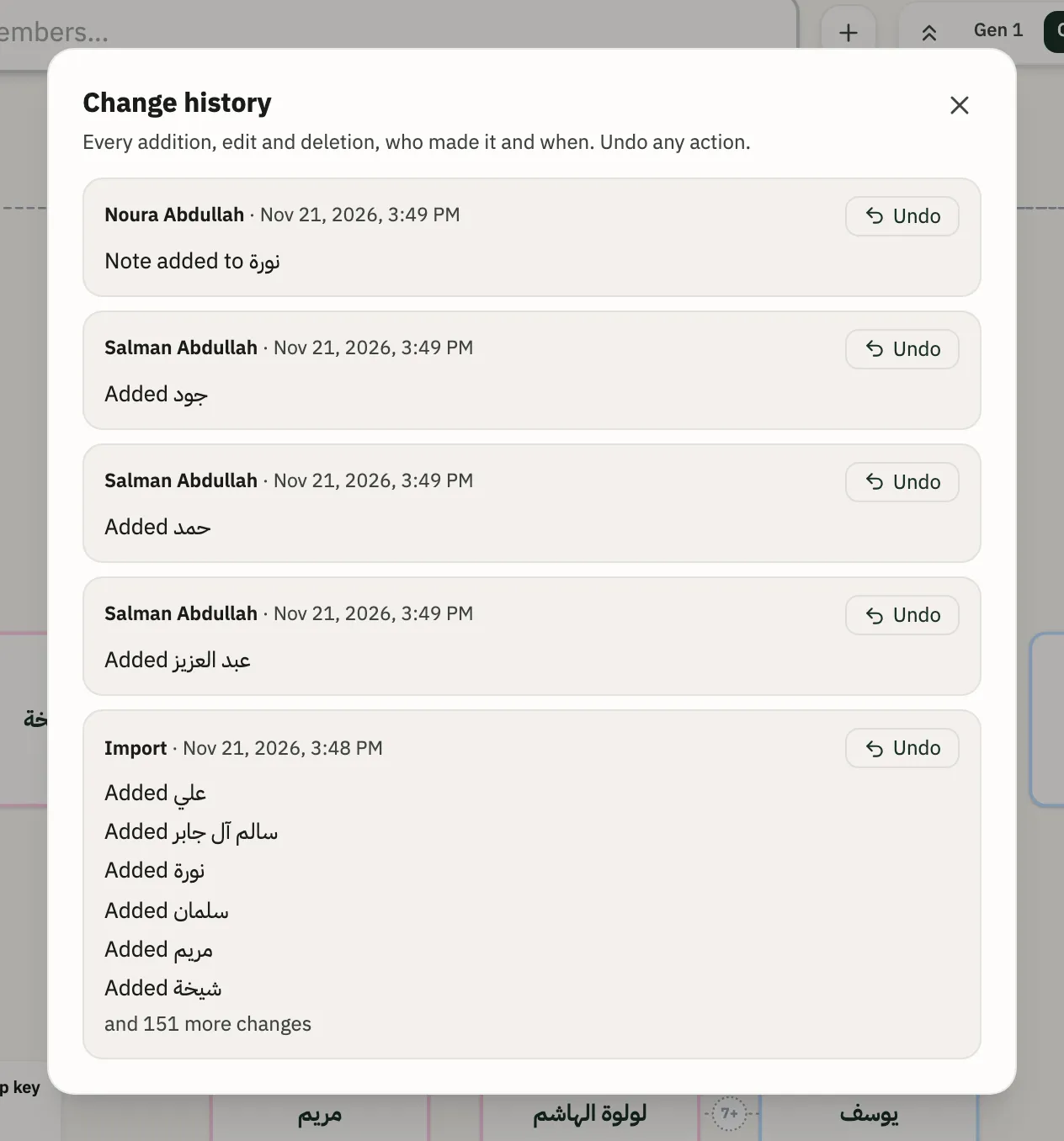
Every addition, edit and deletion is recorded: who did it, when, and what was there before. Open “History” at the top of the tree to see the changes grouped as they happened, with an “Undo” beside each group that puts it back as it was, even a whole branch.
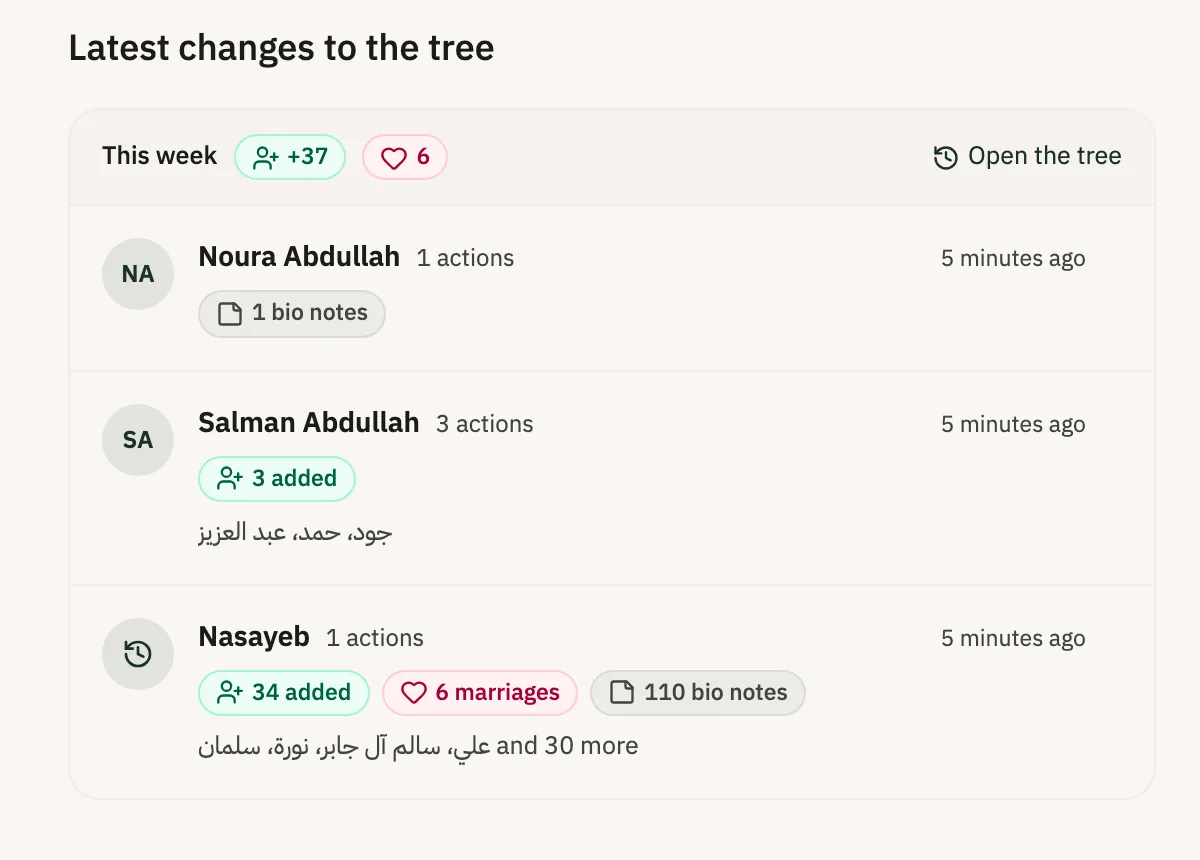
Recent changes on the home page
On the home page, “Latest changes to the tree” now sums up the history instead of listing it. What one person did in one session appears as a single line: how many people they added, edited or removed, marriages, biography notes, and the names of those added. A “This week” strip sits on top.
“Correction”: the mistake reaches the person who can fix it
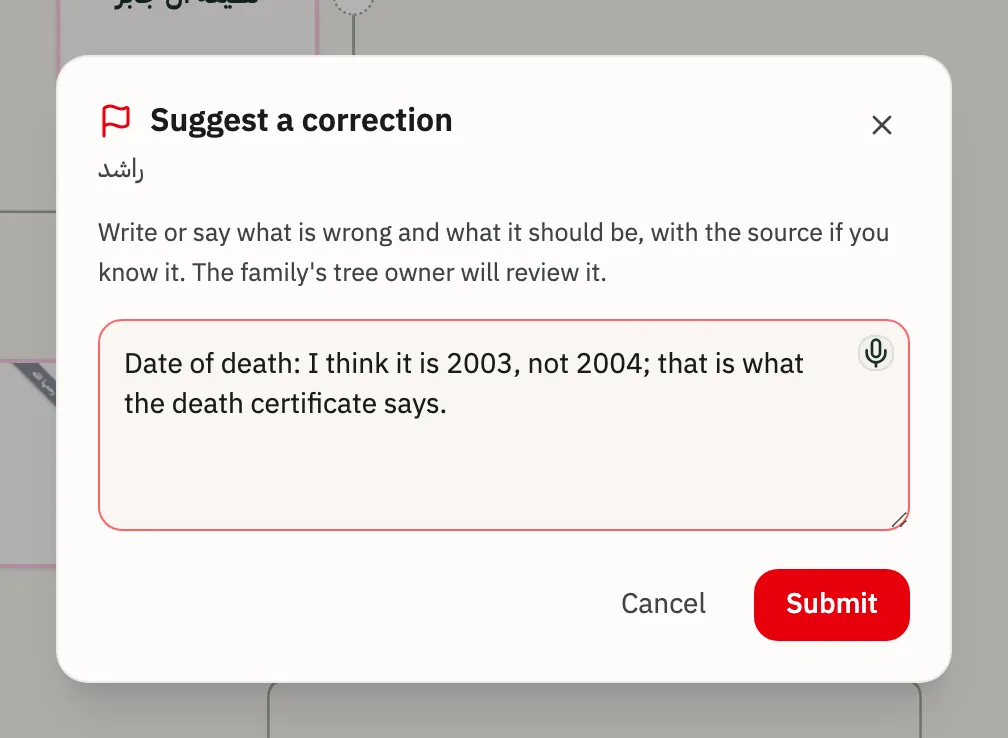
Not everyone in the family is an editor, and not everyone should be. But any of them may know that a date is wrong or a name is missing. So “Correction” is now in the person bar of the tree: say what is wrong and what is right, and the source if known, in writing or by voice.
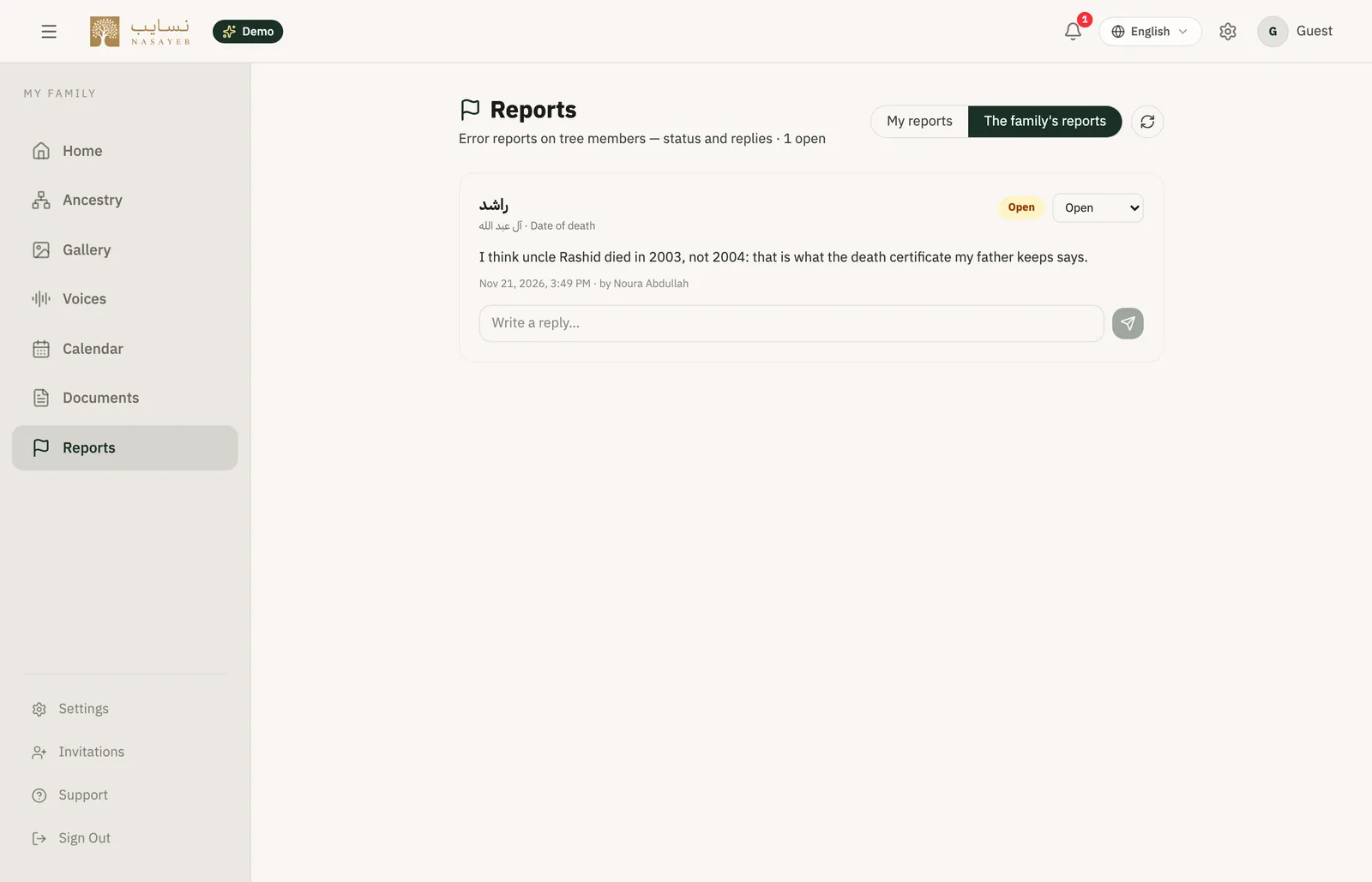
The correction reaches the tree's owner at once as a notification and waits under “Reports”, in “The family's reports”: the owner replies, sets its status, and fixes the tree if convinced. Nobody can send a correction on a tree they are not allowed to read.
Why it matters
A family tree is a shared memory, and shared memory needs trust: knowing that nothing gets lost, that every change has an author, and that a mistake has a clear path to someone who can fix it.